
Description
Create perfectly fitted envelopes for any paper size using a mathematically derived model.
This calculator is based on a 45° diagonal projection method, allowing you to generate a square envelope blank from any rectangular insert. See Appendix A for the mathematical derivation. A 45° rotation is used because it produces equal horizontal and vertical projections of the insert. This symmetry allows a single square sheet to fold evenly around a rectangular insert while keeping the score lines equidistant from the insert on all four sides. Other rotation angles do not provide this symmetry and would require different paper dimensions and scoring positions. Unlike the printed lookup tables supplied with many commercial scoring boards, including the Vaessen Creative Score Easy, this approach is not limited to predefined sizes and gives you full control over fit and clearance. See Appendix B for an explanation of why the method works.
Mathematical Derivation:
- L: side length of the square paper (mm)
- S₁: first score line position (mm)
- S₂: second score line position (mm)
- x: width of the finished insert (mm)
- y: length of the finished insert (mm)
- z: padding allowance (mm)
Note: All calculations assume that the insert is rotated exactly 45° within the square sheet and that the padding is uniform on all four sides.
Input Variables:
The calculator requires three inputs:
- x — the width of the finished insert (mm)
- y — the length of the finished insert (mm)
- z — the desired clearance (padding) between the insert and the score line (mm)
Padding (z) controls how tight or loose the envelope fits.
Recommended defaults:
- 10 mm → tight fit
- 15 mm → standard (default)
- 20 mm → loose / bulky inserts
Calculated Variables:
Using these values, the calculator determines:
- L — the required square paper size
- S₁ — the first scoring position
- S₂ — the second scoring position
This method is especially useful for:
- ISO paper sizes
- JIS paper sizes
- folded letters and brochures
- greeting cards
- invitations
- photographs
- engineering drawings
- archival document sleeves
- custom paper dimensions
- precision paper crafting
Design Rationale
Commercial envelope scoring boards are convenient for common paper sizes but are inherently limited by printed lookup tables. As soon as a project involves a folded document, a custom-sized photograph, a greeting card, or a non-standard paper format such as JIS B-series paper, those tables no longer provide a suitable solution.
This calculator replaces predefined lookup tables with a mathematical model. By calculating the dimensions directly from the insert size and the desired padding, it can generate a precisely fitted envelope for virtually any rectangular insert.
Calculator
Enter the finished dimensions of the insert below. The calculator determines the required square paper size, the score line positions and a visual representation of the resulting envelope layout.
Envelope Calculator (Metric)
Enter the finished folded insert size in millimetres.
Use the folded size of the insert, not the original flat sheet size.
Precalculated Values For Folded Sheets
A series
| Paper / Fold | Width (x) in mm | Length (y) in mm | Padding (z) | Square paper size | Score 1 | Score 2 | Rounded cut size | Rounded score marks |
|---|---|---|---|---|---|---|---|---|
| A4 half-fold (A5) | 210 | 148.5 | 10 mm | 273.5 mm × 273.5 mm | 158.5 mm | 115.0 mm | 273 mm × 273 mm | 158 mm and 115 mm |
| A4 half-fold (A5) | 210 | 148.5 | 15 mm | 283.5 mm × 283.5 mm | 163.5 mm | 120.0 mm | 283 mm × 283 mm | 163 mm and 120 mm |
| A4 half-fold (A5) | 210 | 148.5 | 20 mm | 293.5 mm × 293.5 mm | 168.5 mm | 125.0 mm | 293 mm × 293 mm | 168 mm and 125 mm |
| A4 tri-fold | 210 | 99 | 10 mm | 238.5 mm × 238.5 mm | 158.5 mm | 80.0 mm | 238 mm × 238 mm | 158 mm and 80 mm |
| A4 tri-fold | 210 | 99 | 15 mm | 248.5 mm × 248.5 mm | 163.5 mm | 85.0 mm | 248 mm × 248 mm | 163 mm and 85 mm |
| A4 tri-fold | 210 | 99 | 20 mm | 258.5 mm × 258.5 mm | 168.5 mm | 90.0 mm | 258 mm × 258 mm | 168 mm and 90 mm |
| A5 half-fold (A6) | 148 | 105 | 10 mm | 198.9 mm × 198.9 mm | 114.7 mm | 84.2 mm | 199 mm × 199 mm | 115 mm and 84 mm |
| A5 half-fold (A6) | 148 | 105 | 15 mm | 208.9 mm × 208.9 mm | 119.7 mm | 89.2 mm | 209 mm × 209 mm | 120 mm and 89 mm |
| A5 half-fold (A6) | 148 | 105 | 20 mm | 218.9 mm × 218.9 mm | 124.7 mm | 94.2 mm | 219 mm × 219 mm | 125 mm and 94 mm |
| A6 half-fold (A7) | 105 | 74 | 10 mm | 146.6 mm × 146.6 mm | 84.2 mm | 62.3 mm | 147 mm × 147 mm | 84 mm and 62 mm |
| A6 half-fold (A7) | 105 | 74 | 15 mm | 156.6 mm × 156.6 mm | 89.2 mm | 67.3 mm | 157 mm × 157 mm | 89 mm and 67 mm |
| A6 half-fold (A7) | 105 | 74 | 20 mm | 166.6 mm × 166.6 mm | 94.2 mm | 72.3 mm | 167 mm × 167 mm | 94 mm and 72 mm |
B series — ISO
| Paper / Fold | Width (x) in mm | Length (y) in mm | Padding (z) | Square paper size | Score 1 | Score 2 | Rounded cut size | Rounded score marks |
|---|---|---|---|---|---|---|---|---|
| B5 ISO half-fold (B6) | 176 | 125 | 10 mm | 232.8 mm × 232.8 mm | 134.5 mm | 98.4 mm | 233 mm × 233 mm | 134 mm and 98 mm |
| B5 ISO half-fold (B6) | 176 | 125 | 15 mm | 242.8 mm × 242.8 mm | 139.5 mm | 103.4 mm | 243 mm × 243 mm | 139 mm and 103 mm |
| B5 ISO half-fold (B6) | 176 | 125 | 20 mm | 252.8 mm × 252.8 mm | 144.5 mm | 108.4 mm | 253 mm × 253 mm | 144 mm and 108 mm |
| B6 ISO half-fold (B7) | 125 | 88 | 10 mm | 170.6 mm × 170.6 mm | 98.4 mm | 72.2 mm | 171 mm × 171 mm | 98 mm and 72 mm |
| B6 ISO half-fold (B7) | 125 | 88 | 15 mm | 180.6 mm × 180.6 mm | 103.4 mm | 77.2 mm | 181 mm × 181 mm | 103 mm and 77 mm |
| B6 ISO half-fold (B7) | 125 | 88 | 20 mm | 190.6 mm × 190.6 mm | 108.4 mm | 82.2 mm | 191 mm × 191 mm | 108 mm and 82 mm |
B series — JIS
| Paper / Fold | Width (x) in mm | Length (y) in mm | Padding (z) | Square paper size | Score 1 | Score 2 | Rounded cut size | Rounded score marks |
|---|---|---|---|---|---|---|---|---|
| B5 JIS half-fold (B6) | 182 | 128.5 | 10 mm | 239.6 mm × 239.6 mm | 138.7 mm | 100.9 mm | 240 mm × 240 mm | 139 mm and 101 mm |
| B5 JIS half-fold (B6) | 182 | 128.5 | 15 mm | 249.6 mm × 249.6 mm | 143.7 mm | 105.9 mm | 250 mm × 250 mm | 144 mm and 106 mm |
| B5 JIS half-fold (B6) | 182 | 128.5 | 20 mm | 259.6 mm × 259.6 mm | 148.7 mm | 110.9 mm | 260 mm × 260 mm | 149 mm and 111 mm |
| B6 JIS half-fold (B7) | 128 | 91 | 10 mm | 174.9 mm × 174.9 mm | 100.5 mm | 74.3 mm | 175 mm × 175 mm | 101 mm and 74 mm |
| B6 JIS half-fold (B7) | 128 | 91 | 15 mm | 184.9 mm × 184.9 mm | 105.5 mm | 79.3 mm | 185 mm × 185 mm | 106 mm and 79 mm |
| B6 JIS half-fold (B7) | 128 | 91 | 20 mm | 194.9 mm × 194.9 mm | 110.5 mm | 84.3 mm | 195 mm × 195 mm | 111 mm and 84 mm |
How to Make a Custom Envelope for JIS B5 Folded in Half
Finished insert size
A JIS B5 sheet is 182 mm × 257 mm. Folded in half, the insert becomes:
182 mm × 128.5 mm
Using 15 mm padding, the calculator gives:
| Measurement | Exact | Practical (Rounded) |
|---|---|---|
| Square paper size | 249.6 mm × 249.6 mm | 250 mm × 250 mm |
| Score 1 | 143.7 mm | 144 mm |
| Score 2 | 105.9 mm | 106 mm |
Tools and materials
You will need:
- One JIS B4 donor sheet
- One JIS B5 sheet folded in half
- Paper cutter
- Vaessen Creative Score Easy scoring board
- Diagonal scoring guide
- Folding knife or bone folder
- Vaessen Creative Corner Punch
- Optional 10 mm Corner Punch
- Paper glue
Practical reference
For a JIS B5 sheet folded in half with 15 mm padding, use:
Cut size: 250 mm × 250 mm
Score marks: 144 mm and 106 mm
Score pattern: 144 → 106 → 144 → 106
Practical Tip
Before cutting expensive cardstock, test the calculated dimensions using ordinary printer paper. This allows the fit to be verified and the padding adjusted if a tighter or looser envelope is desired.
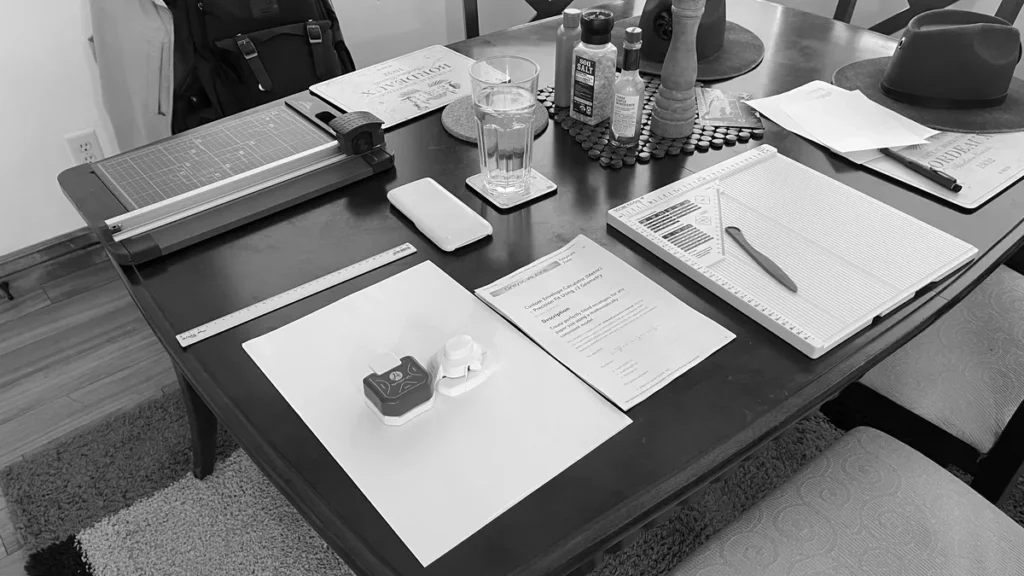
Step 1: Prepare the workspace
Set out the paper cutter, scoring board, diagonal guide, folding tool, punch, glue and paper.
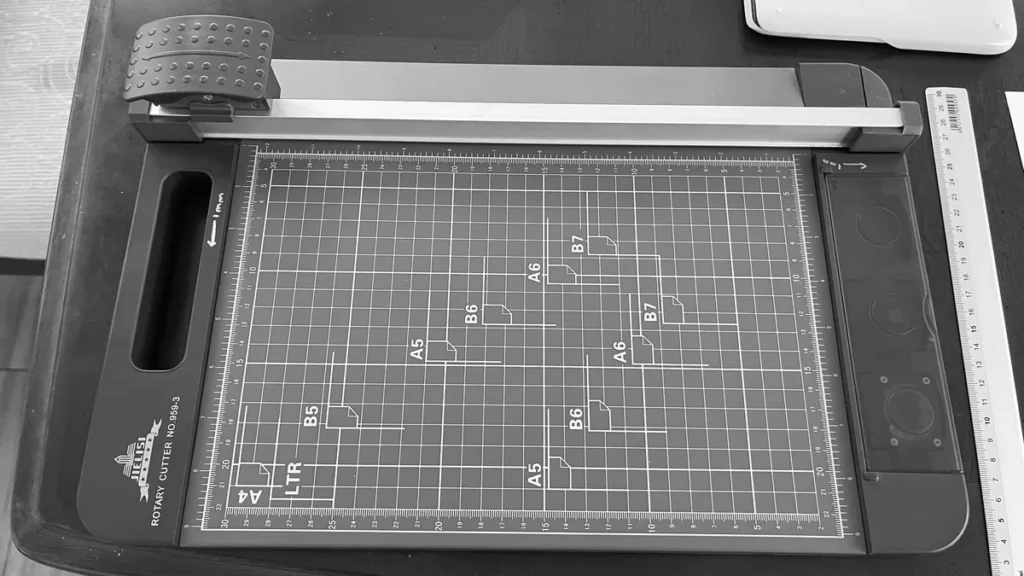
Step 2: Cut the donor sheet
Start with a JIS B4 donor sheet.
Cut it to:
250 mm × 250 mm
The calculated size is 249.6 mm, so 250 mm is the practical cut size.
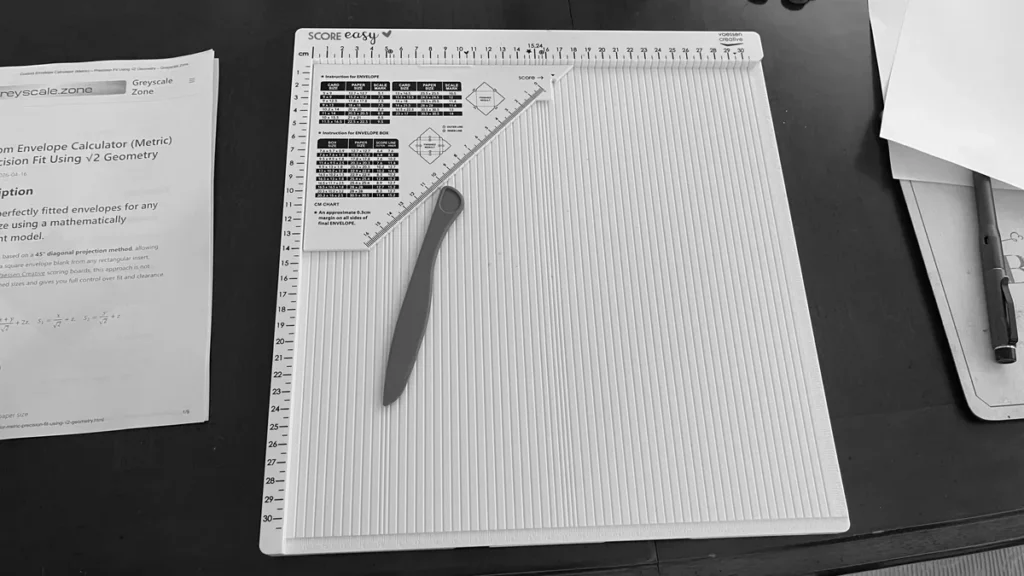
Step 3: Set up the scoring board
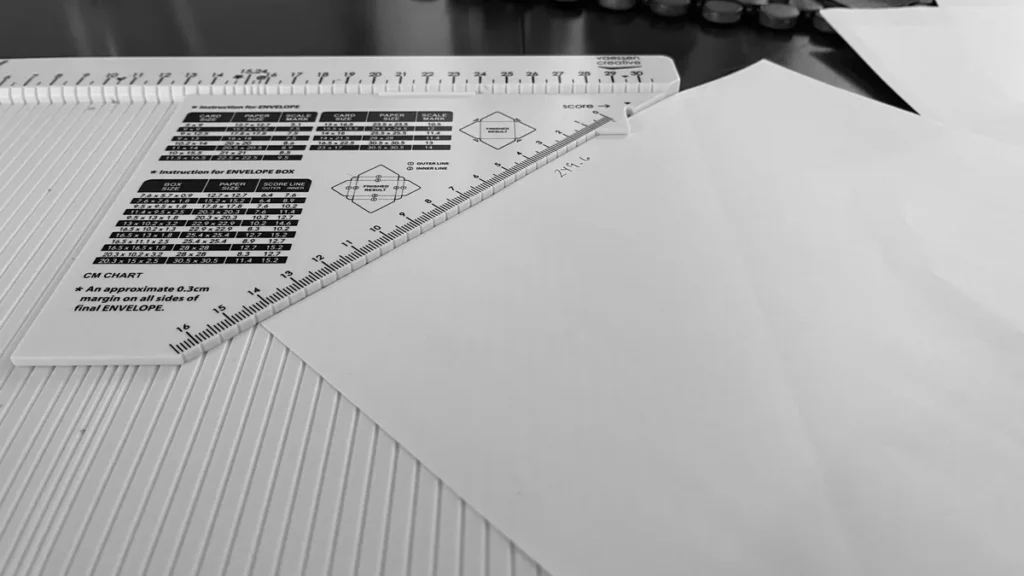
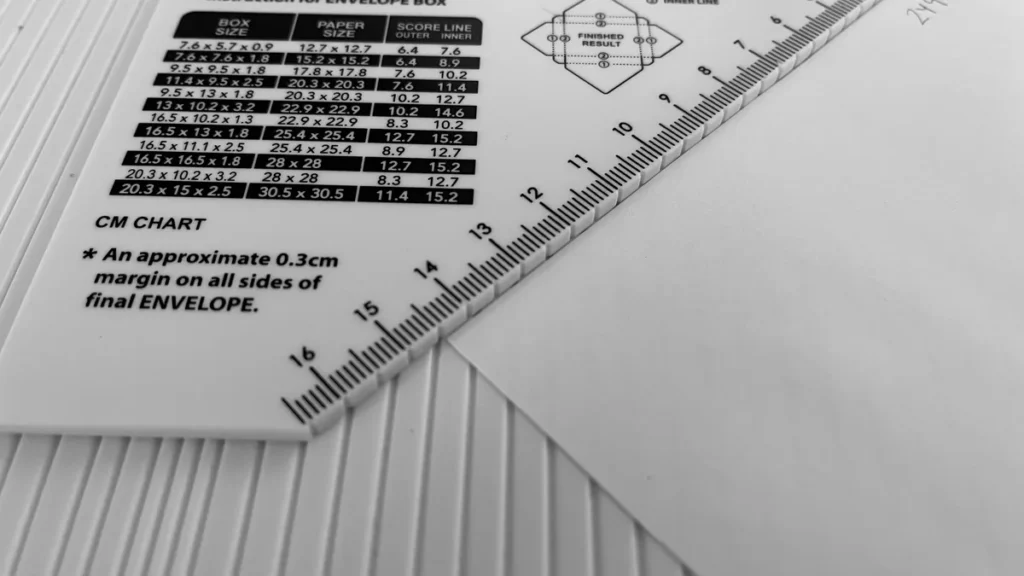
Place the diagonal scoring guide into the Vaessen Creative Score Easy board.
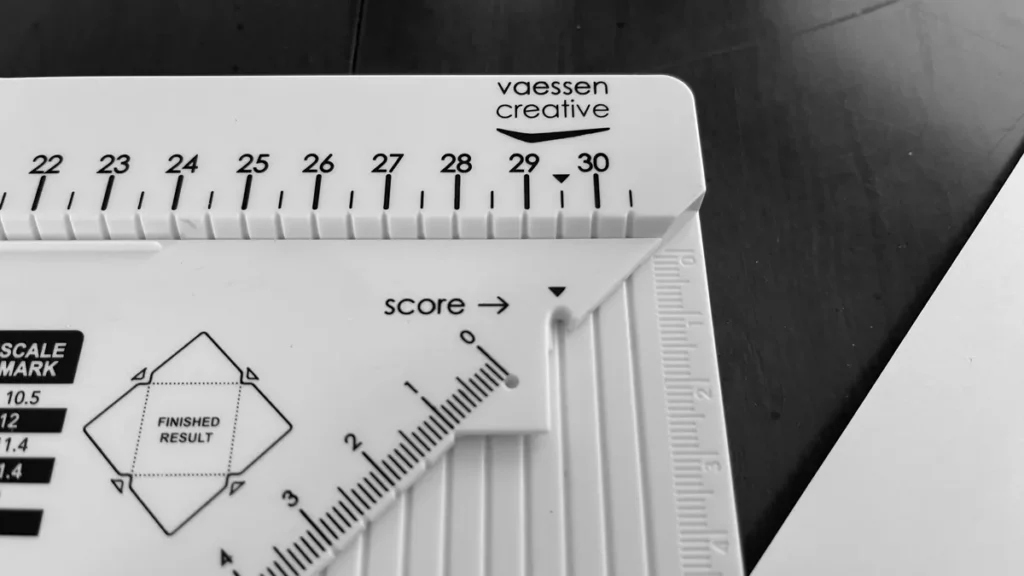
Step 4: Make the first score
Place the square sheet on the scoring board with one corner aligned to the diagonal guide.
Score at:
144 mm
Step 5: Rotate and make the second score
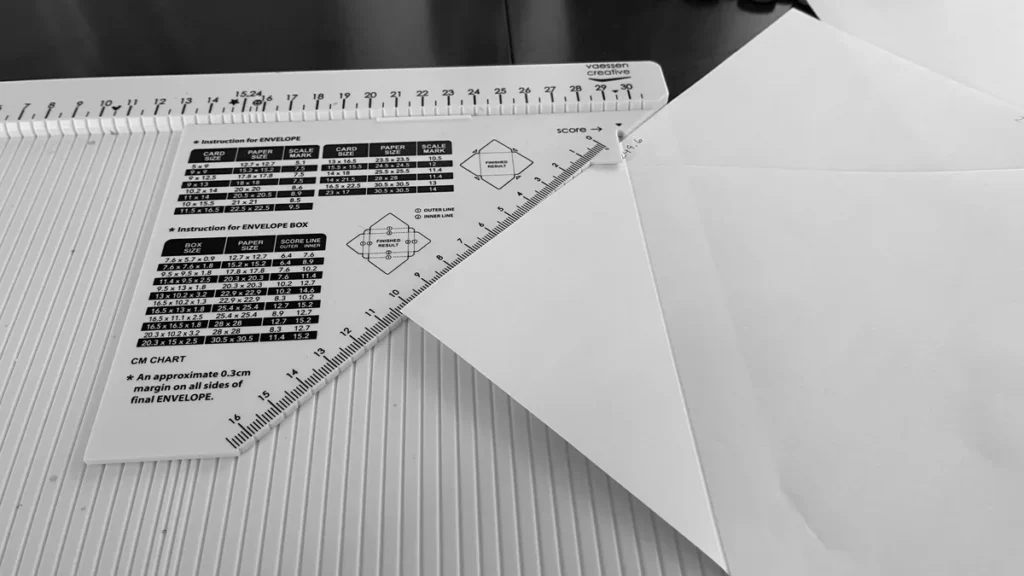
Rotate the paper 90 degrees.
Score at:
106 mm
Step 6: Complete all four score lines
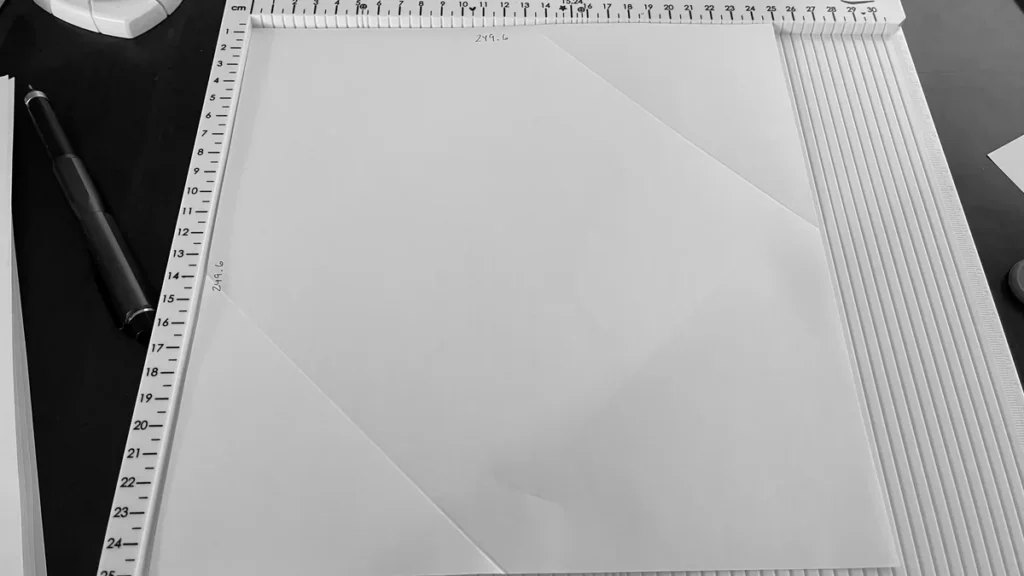
Continue rotating the paper and alternate the score marks:
144 mm → 106 mm → 144 mm → 106 mm
When finished, the sheet should have four score lines.
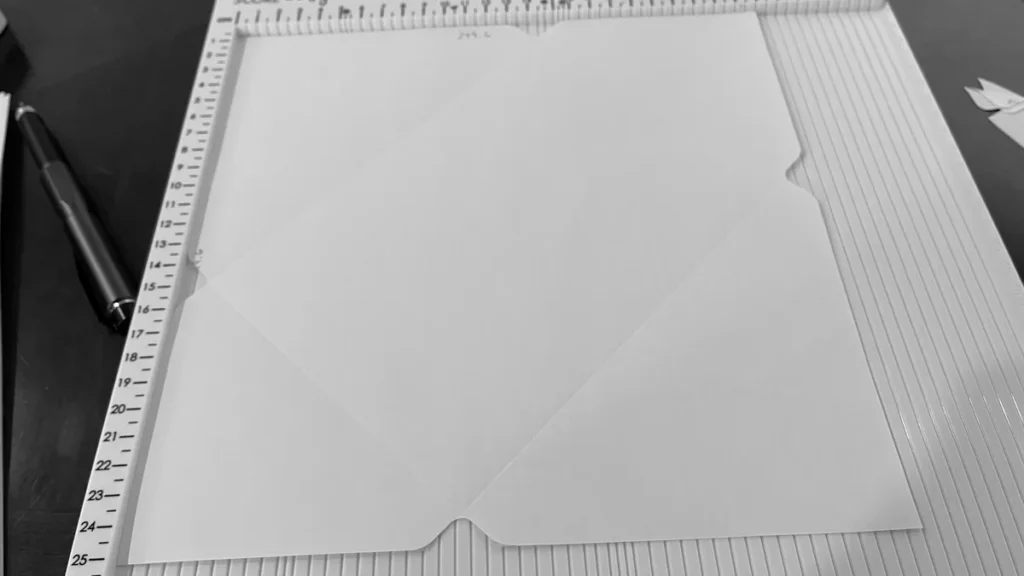
Step 7: Check the score pattern
The score lines should form an X-style structure where the folds meet.

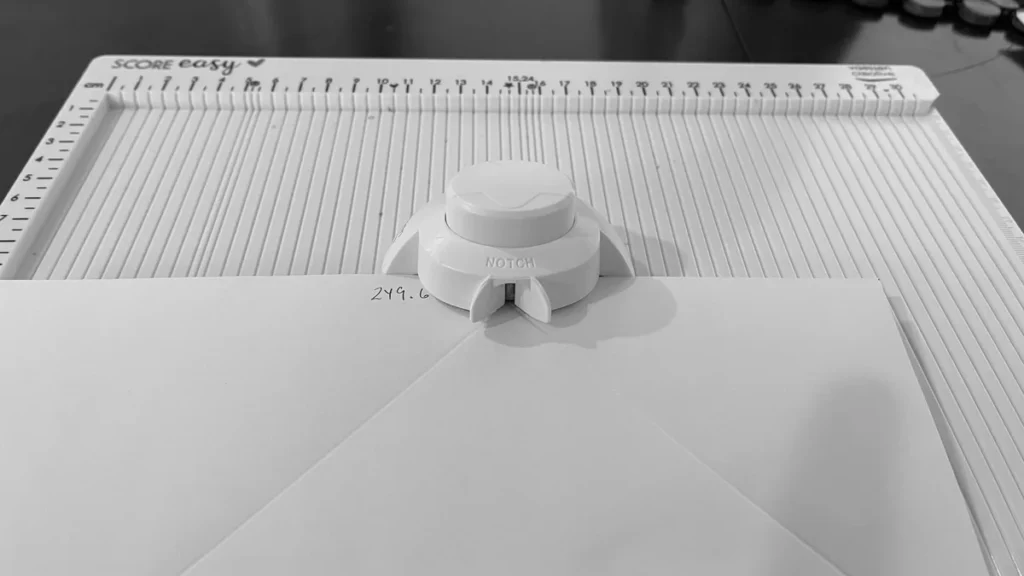
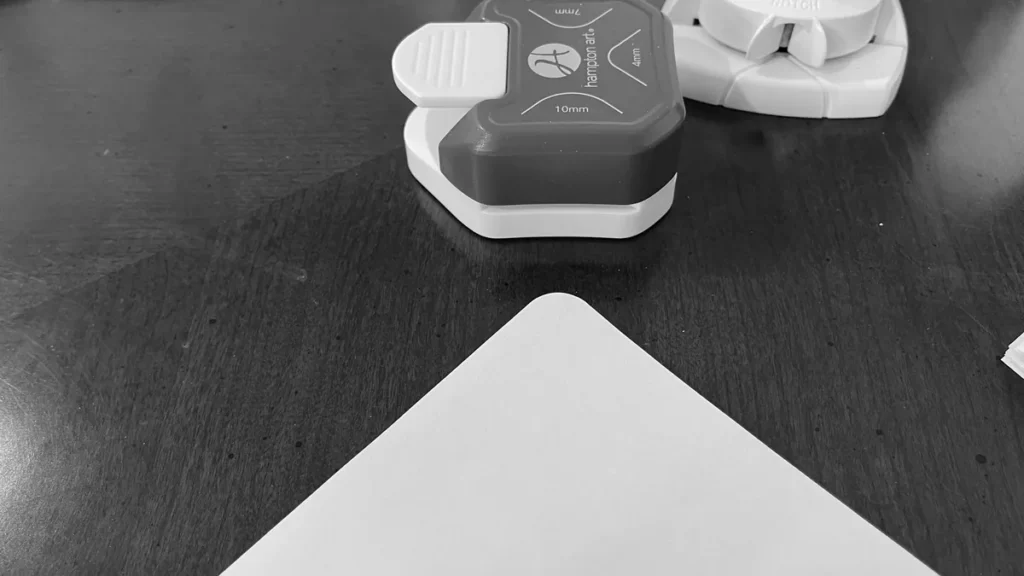
Step 8: Punch out the corners
Use the corner punch to remove the small corner sections where the folds meet. This reduces bulk and helps the envelope fold cleanly.
Step 9: Test the insert fit
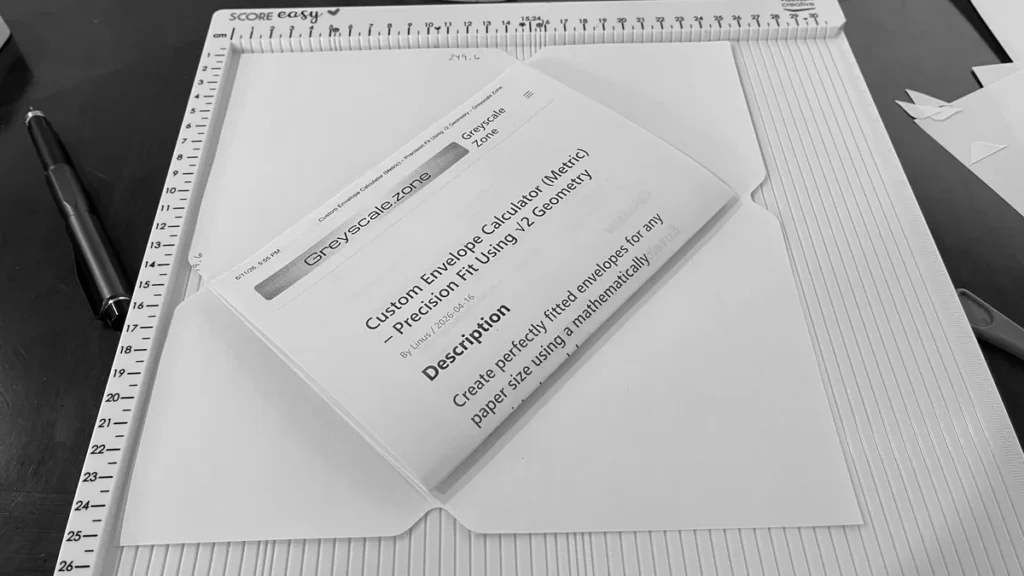
Place the folded JIS B5 sheet into the future envelope before gluing. Confirm that it fits comfortably.
Step 10: Optional: round the flap corner
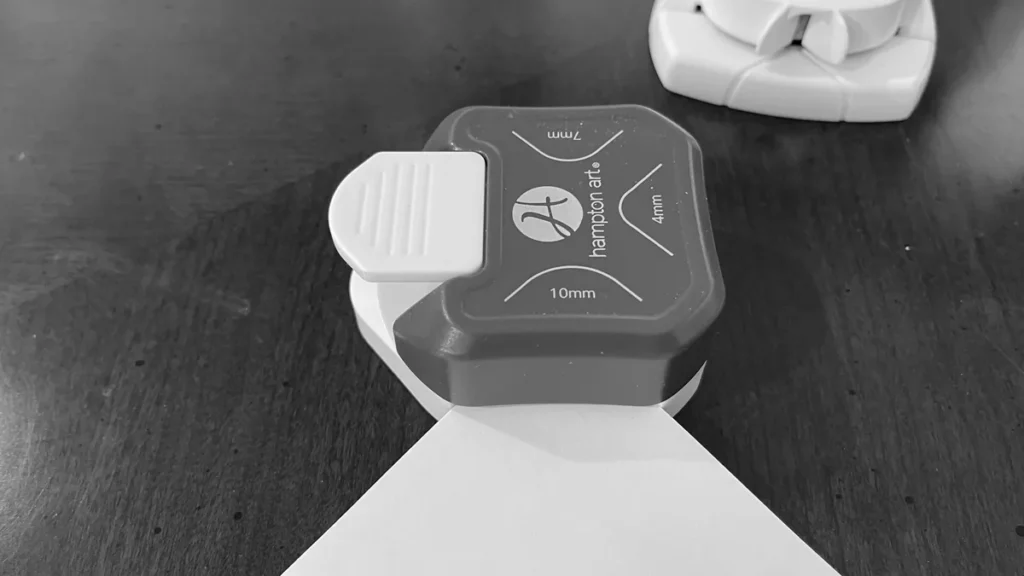
Use a 10 mm Corner Punch if you want a cleaner finished flap.
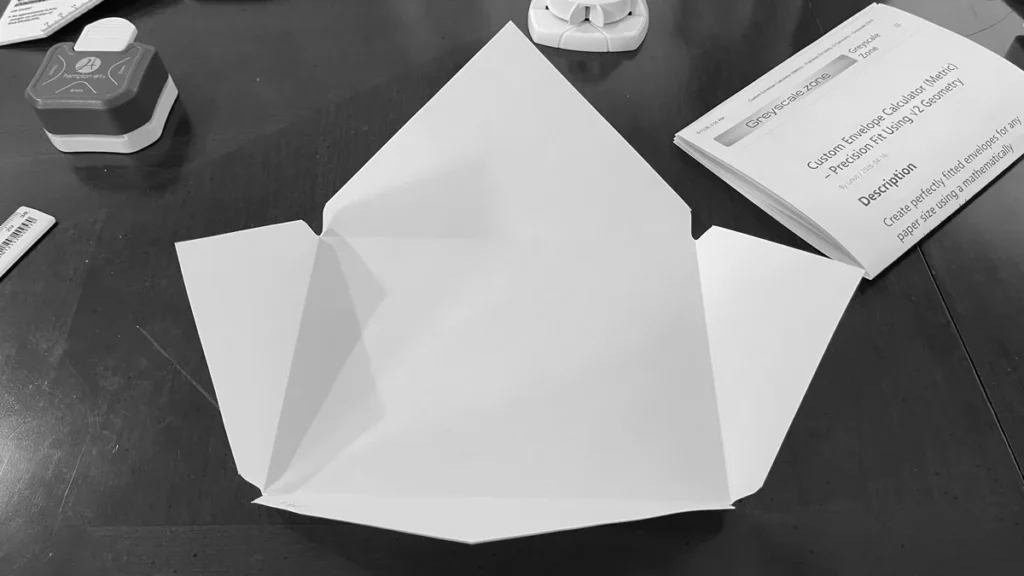
Step 11: Fold the envelope
Fold along all score lines. Bring the side flaps inward first, then fold the bottom flap up.
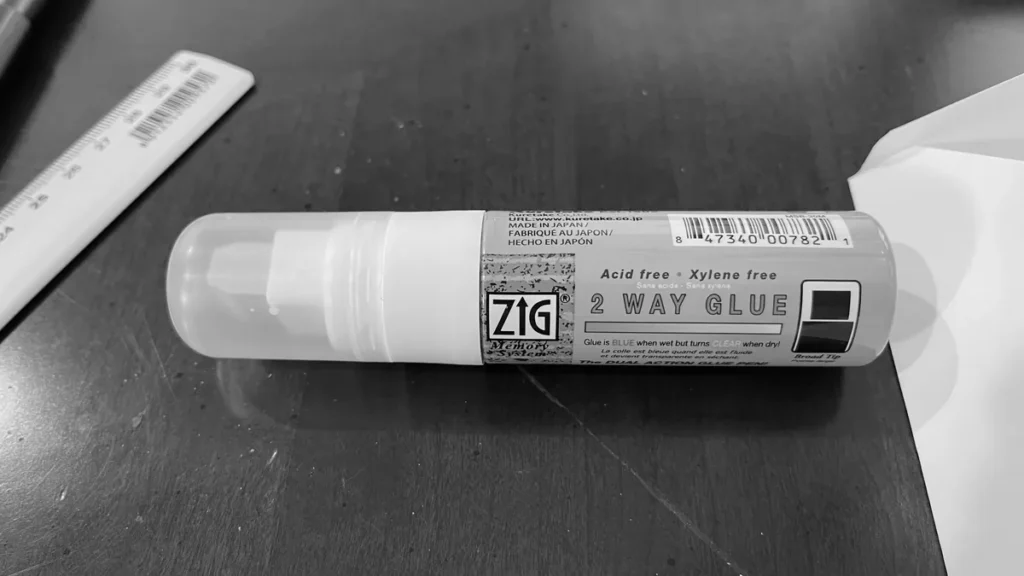
Step 12: Apply glue
Apply a small amount of glue to the smaller side flap or overlap area. Avoid using too much glue.
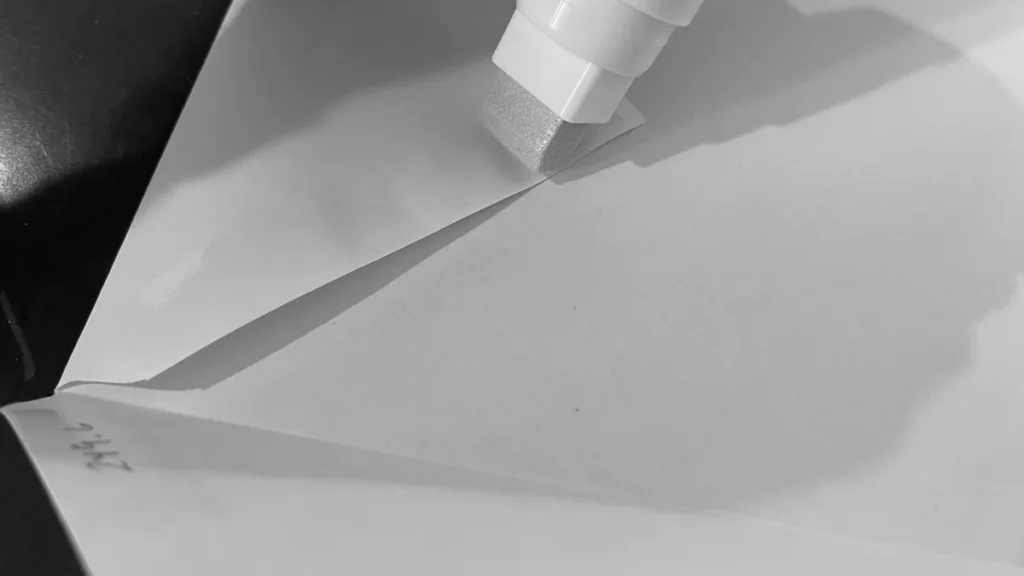
Step 13: Press the glued flap
Fold the glued flap into place and press firmly. Let the glue set.
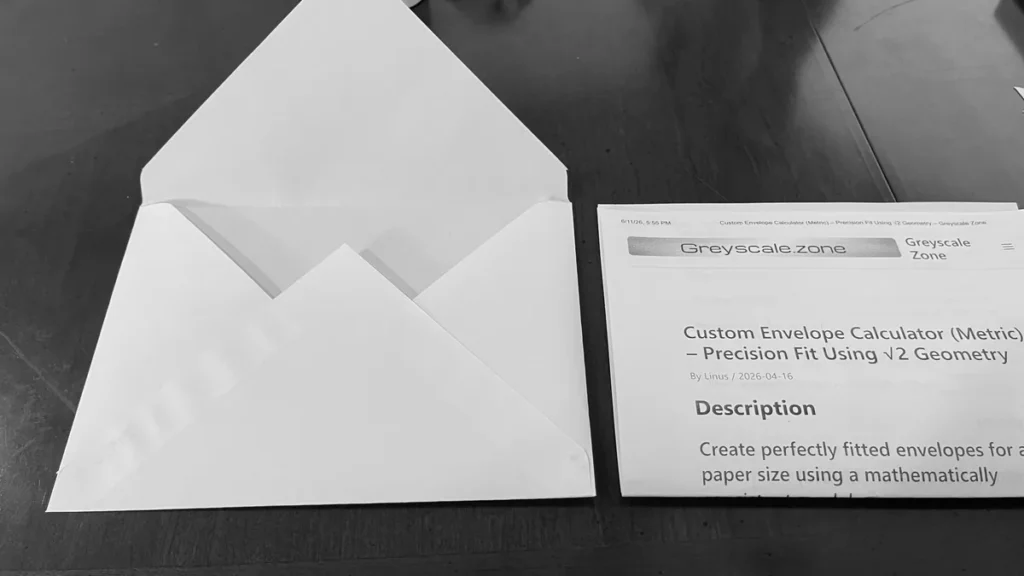
Step 14: Insert the folded sheet
Place the folded JIS B5 sheet into the finished envelope.
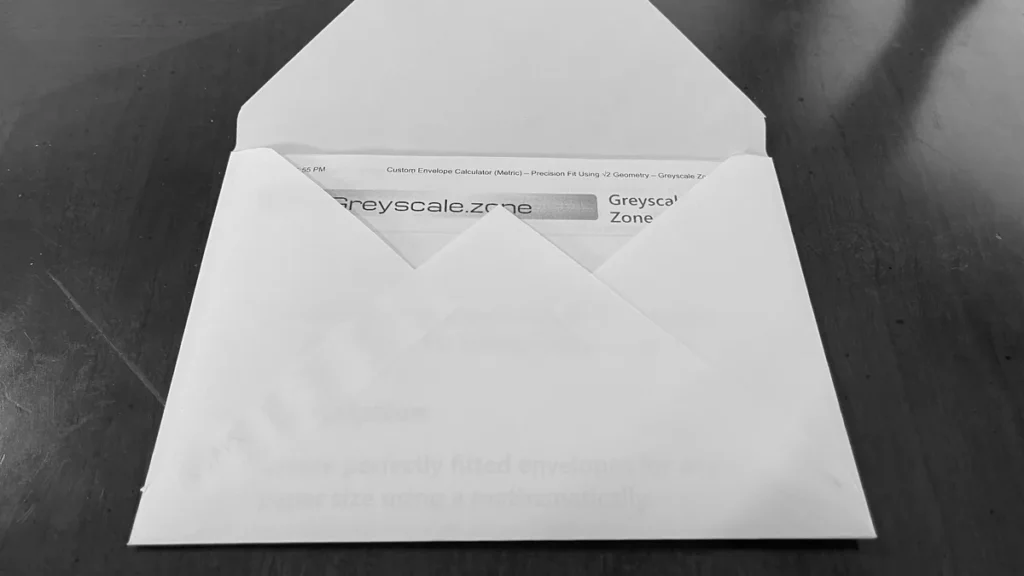
Step 15: Close the final flap
Fold the top flap down to close the envelope.
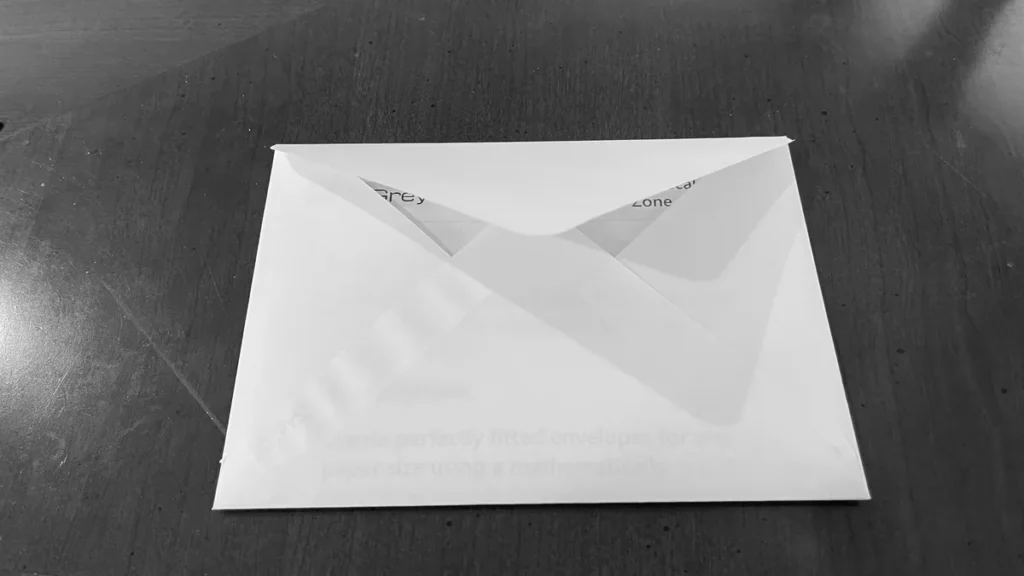
Step 16: Finished envelope
The finished envelope should fit the folded JIS B5 insert neatly with 15 mm padding.
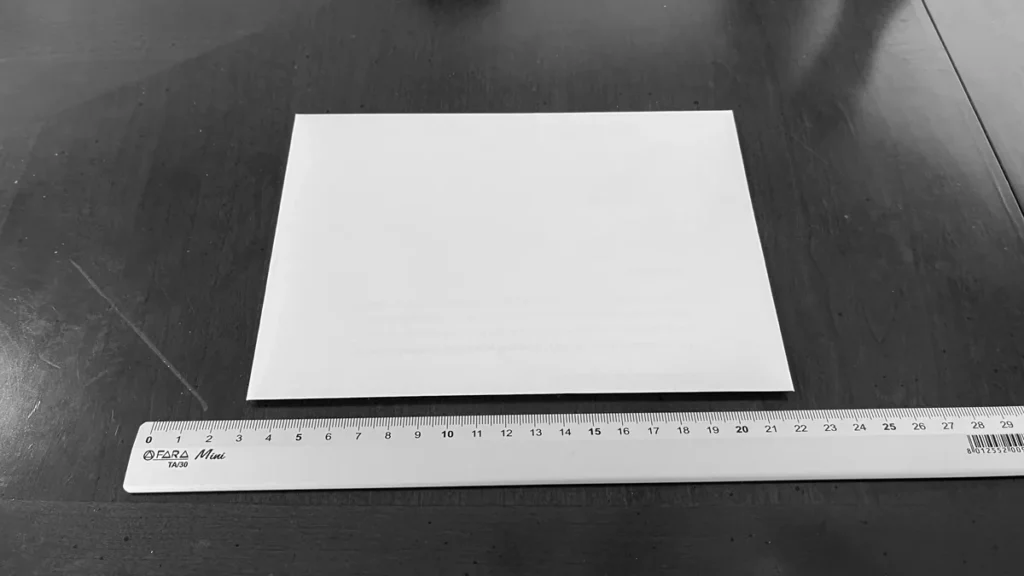
Step 17: Store the tools
Store the diagonal guide and folding knife in the back of the Score Easy board.
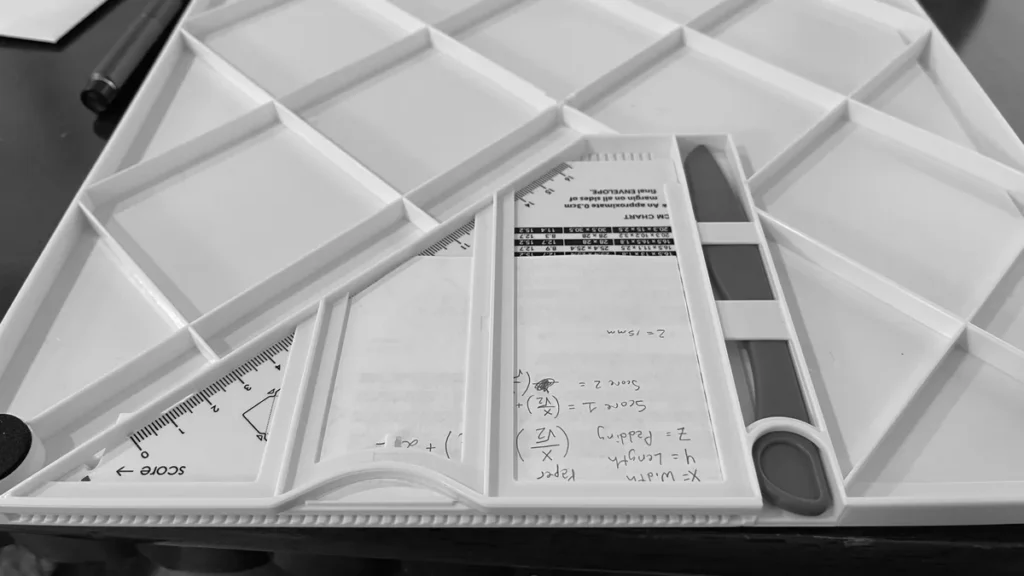
The diagonal guide can be supplemented with an insert showing the Mathematical Derivation:
Vaessen Creative Score Easy Insert A4
Vaessen Creative Score Easy Insert US Letter
Engineering Note
Unlike printed scoring-board tables, the calculator derives every dimension mathematically. The equations are deterministic, meaning the same inputs always produce the same calculated results. Because the calculation consists of a fixed sequence of arithmetic operations, calculated results are produced almost instantaneously regardless of the dimensions entered.
Appendix A: Mathematical Foundation
Historical Note
The mathematical basis of this calculator originates in classical Euclidean geometry and the properties of rotating a rectangle by 45°. When a rectangle is rotated by this angle, its width and height project equally onto the horizontal and vertical axes by a factor of 1/√2 (approximately 0.70710678). This relationship follows directly from the trigonometric identities:These geometric principles have been understood for centuries and form the foundation of technical drawing, engineering, architecture and descriptive geometry. These same geometric principles are also used in computer graphics, computer-aided design (CAD), drafting and technical illustration whenever objects are projected or rotated within a two-dimensional plane. While the underlying mathematics is well established, it has rarely been explained in the context of envelope scoring boards or paper crafting. This calculator applies those principles to determine the required square paper size and score line positions for virtually any rectangular insert using a deterministic mathematical model rather than fixed lookup tables.
Numerical Stability
The calculator uses only first-order arithmetic operations (addition, subtraction, multiplication and division) together with the mathematical constant √2. No iterative approximation or numerical optimisation is required. Consequently, the calculated values are stable, repeatable and more precise than the manufacturing tolerances of most scoring boards and paper cutters.
Appendix B: Why the Calculator Works
Most commercial scoring boards provide printed lookup tables containing dimensions for only a limited selection of common paper sizes, such as the ISO A-series. These tables are simply pre-calculated solutions for specific paper dimensions and cannot accommodate arbitrary insert sizes.
This calculator replaces those fixed tables with a general mathematical solution. By applying the geometric properties of a rectangle rotated by 45°, it calculates the required square paper size and score line locations for any rectangular insert entered by the user.
Because the calculator depends only on the insert width (x), insert length (y) and the selected padding (z), it can calculate envelope dimensions for virtually any rectangular insert. Because the calculator derives the dimensions directly from the input measurements, no lookup tables or predefined templates are required. This makes the approach scalable, repeatable and suitable for both common and custom paper sizes. Unlike printed lookup tables, which are limited to predefined paper sizes, this method performs the same sequence of arithmetic operations for every calculation. In computer science, this is known as constant-time complexity, meaning the amount of computational work does not increase as the input dimensions become larger. Whether the insert measures 50 × 50 mm or 500 × 700 mm, the calculator performs the same fixed series of additions, divisions and multiplications, producing calculated results almost instantaneously on modern hardware.
Why millimetres?
Millimetres were chosen because they provide practical precision while matching the graduations found on most modern paper cutters, rulers and scoring boards. If measurements are taken in another unit, they can be converted to millimetres before using the calculator.
Engineering assumptions
The mathematical model assumes:
- a rectangular insert,
- a 45° rotation,
- uniform paper thickness,
- accurate cutting and scoring,
- a constant padding allowance.
Appendix C: Licence and Attribution
The geometric principles implemented by this calculator are based on well-established concepts from classical Euclidean geometry, elementary trigonometry and the mathematics of 45° orthogonal projection. These mathematical relationships are part of the public domain and have been widely documented in mathematics, engineering and technical drawing for centuries.
This implementation does not claim originality for the underlying mathematics. Its contribution is the application of established geometric principles to create a practical calculator, accompanying documentation and visualisation tools for envelope construction.
The original implementation, user interface, documentation, examples and explanatory material presented on this site are original works created for this project.
References
- Euclid. Elements.
- ISO 216:2007 — Writing Paper and Certain Classes of Printed Matter.
- JIS P 0138 — Japanese Standard Paper Sizes.
- Weisstein, Eric W. "Rotation Matrix." MathWorld.
- Weisstein, Eric W. "Orthogonal Projection." MathWorld.