
Making a WordPress website boring to repeat attackers

I began this project with a simple question:
Why should an attacker who has already been identified and blocked by Wordfence be allowed to keep reaching my WordPress server?
Cloudflare was already protecting the network edge. Wordfence was already protecting WordPress. Both were doing useful work, but they operated as separate security controls. Wordfence knew which visitors had behaved maliciously, while Cloudflare was in the better position to stop those visitors before they reached the server again.
The missing component was a reliable feedback loop between them.
That idea eventually became Grey Rock Block Synchroniser for Wordfence and Cloudflare, which has now been accepted for distribution through the official WordPress.org Plugin Directory.
Make your website boring to repeat attackers.
My original approach
My first thought was to operate the synchronization separately from WordPress.
An external script or scheduled service could read the addresses blocked by Wordfence and send them to Cloudflare. That approach was technically possible, but it would introduce another service to maintain, another scheduler to monitor, another place to secure credentials and another potential point of failure.
I did not want a collection of loosely connected scripts that only I understood. I wanted something integrated into WordPress, visible from the administration interface and suitable for repeatable deployment.
While researching the problem, I found the open-source Wordfence Cloudflare Firewall Sync repository created by notmike101. It addressed the same underlying idea: take block information from Wordfence and use it at Cloudflare. The project provided a useful starting point, so I forked it rather than beginning from nothing. GitHub preserves that relationship and identifies my project as a fork of the original repository.
From a useful starting point to a production plugin
A useful proof of concept is not necessarily ready for a production WordPress environment or the WordPress.org Plugin Directory.
As I reviewed and tested the original code, I found several areas that needed further work before I was comfortable relying on it. Some involved compatibility with the Wordfence installation on my server. Others involved WordPress security practices, error handling, multisite operation, documentation and release packaging.
I forked the repository and substantially expanded it.
The work included:
- Correcting assumptions about Wordfence internal methods that were not available in all installations.
- Adding support for historical Wordfence WAF events, not only currently active blocks.
- Adding configurable lookback periods and event thresholds.
- Rejecting invalid, private and reserved addresses.
- Deduplicating repeated events before synchronization.
- Supporting both Cloudflare Zone Access Rules and reusable account-level IP lists.
- Adding WordPress multisite network settings and network-wide synchronization.
- Adding site and network synchronization logs.
- Adding manual account-list management with recorded reasons.
- Adding Cloudflare configuration validation and safe add-and-remove testing.
- Improving retry, cleanup and reconciliation behavior.
- Hardening direct-file access, request validation, sanitization, nonce handling and output escaping.
- Requiring restricted Cloudflare API tokens rather than a Global API Key.
- Removing inline administration scripting and using properly enqueued assets.
- Adding WordPress.org-compliant packaging, documentation, licensing and translation metadata.
The current repository documents the two Cloudflare operating modes, historical block processing, multisite behavior, token permissions, validation controls and cleanup logic. It also states that the plugin sends no telemetry or usage analytics to Greyscale Zone.
This was not simply a rebranding exercise. It became a larger engineering and security-hardening project.
The house and neighborhood analogy
The easiest way to explain the design is to imagine my server as a house in a gated neighborhood.
The house represents the physical or virtual server. The different websites hosted on that server are displayed on a bulletin board outside the house. The web server reads the name requested by each visitor and directs that visitor to the correct website.
Cloudflare is the guarded entrance to the neighborhood.
Because my websites use proxied Cloudflare DNS records, visitors are normally given Cloudflare’s address rather than the house’s direct address. Their HTTP and HTTPS traffic passes through Cloudflare before it reaches the origin server. Cloudflare can inspect, filter, cache and protect that traffic along the way.
In the analogy, visitors arrive at the neighborhood gate. The guards inspect them and escort permitted traffic to the correct house.
Cloudflare already turns away a considerable amount of obviously unwanted traffic. However, no perimeter control recognizes every application-specific attack.
A visitor might pass through the neighborhood gate and then begin trying door handles, probing windows, submitting malicious requests or repeatedly attempting to enter restricted parts of the house.
That is where Wordfence operates.
Wordfence is the security system at the house. It understands WordPress behavior, watches requests that reach the application and blocks addresses that violate firewall, brute-force or rate-limiting rules. Wordfence can create temporary or permanent IP address blocks based on the site owner’s configuration.
Without Grey Rock, that person may be stopped at the house but can return through the neighborhood gate and approach the property again. Wordfence may block the new request, but the traffic still reaches the server and consumes some combination of network, web server, PHP, database or logging resources.
Grey Rock creates a communication channel between the house and the neighborhood gate.
When Wordfence identifies a qualifying hostile address, Grey Rock sends that block information to Cloudflare. Cloudflare can then enforce the block at its network edge.
In the analogy, the person is removed from the property, escorted back to the entrance and reported to the guards:
This person has already attempted unauthorized activity. Do not admit them again.
That visitor becomes persona non grata.
The next time the same address attempts to enter, the Cloudflare guard can turn it away at the gate rather than allowing it to travel through the neighborhood and reach the house.
Why call it Grey Rock?

The name is inspired by the grey rock method: becoming uninteresting, unresponsive and unrewarding to someone seeking attention, conflict or a reaction.
The cybersecurity analogy is not that software can change an attacker’s personality. The goal is to change what the attacker receives from the system.
A repeat attacker wants useful responses:
- A login form that can be tested again.
- A vulnerable endpoint that can be probed.
- Different error messages that reveal information.
- A server that continues accepting and processing requests.
- A target that remains worth revisiting.
Grey Rock makes the site less rewarding. Once an address has demonstrated qualifying hostile behavior, the objective is to reduce future interaction with the WordPress application.
The website becomes boring.
Defense in depth
Grey Rock is an example of defense in depth, not a replacement for other security controls.
NIST describes defense in depth as the use of multiple countermeasures in layers so that an attack missed by one technology may be caught by another.
In this design, the layers have different responsibilities.
Cloudflare protects the edge. It proxies traffic, obscures the origin address through proxied DNS records, filters requests and applies Cloudflare security rules before traffic reaches the server.
Wordfence protects the WordPress application. It sees WordPress-specific requests and can identify behavior that an external network service may not recognize.
Grey Rock connects detection to earlier enforcement. It takes qualifying block intelligence learned at the WordPress layer and moves it outward to Cloudflare.
The server still requires its own controls. Operating-system patching, container security, least-privilege access, multifactor authentication, backups, monitoring, restricted management interfaces and origin-server protection remain necessary.
No single layer is perfect. The value comes from making the layers cooperate.
What the plugin does
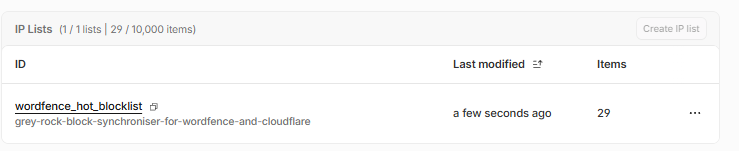
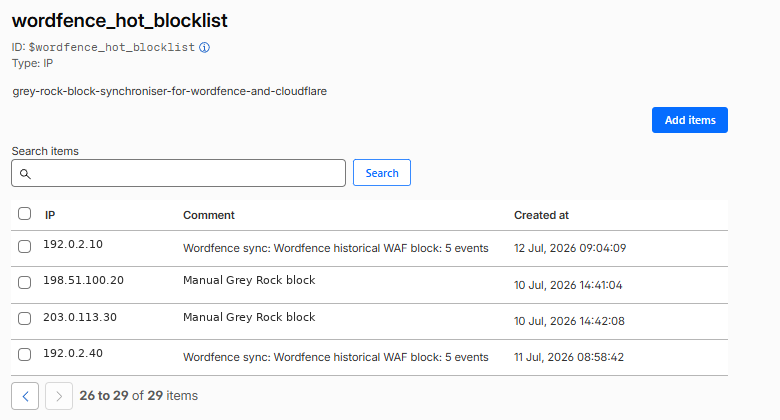
Grey Rock can read current Wordfence blocks and qualifying historical WAF events. It can then send the resulting public IP addresses to one of two Cloudflare destinations.
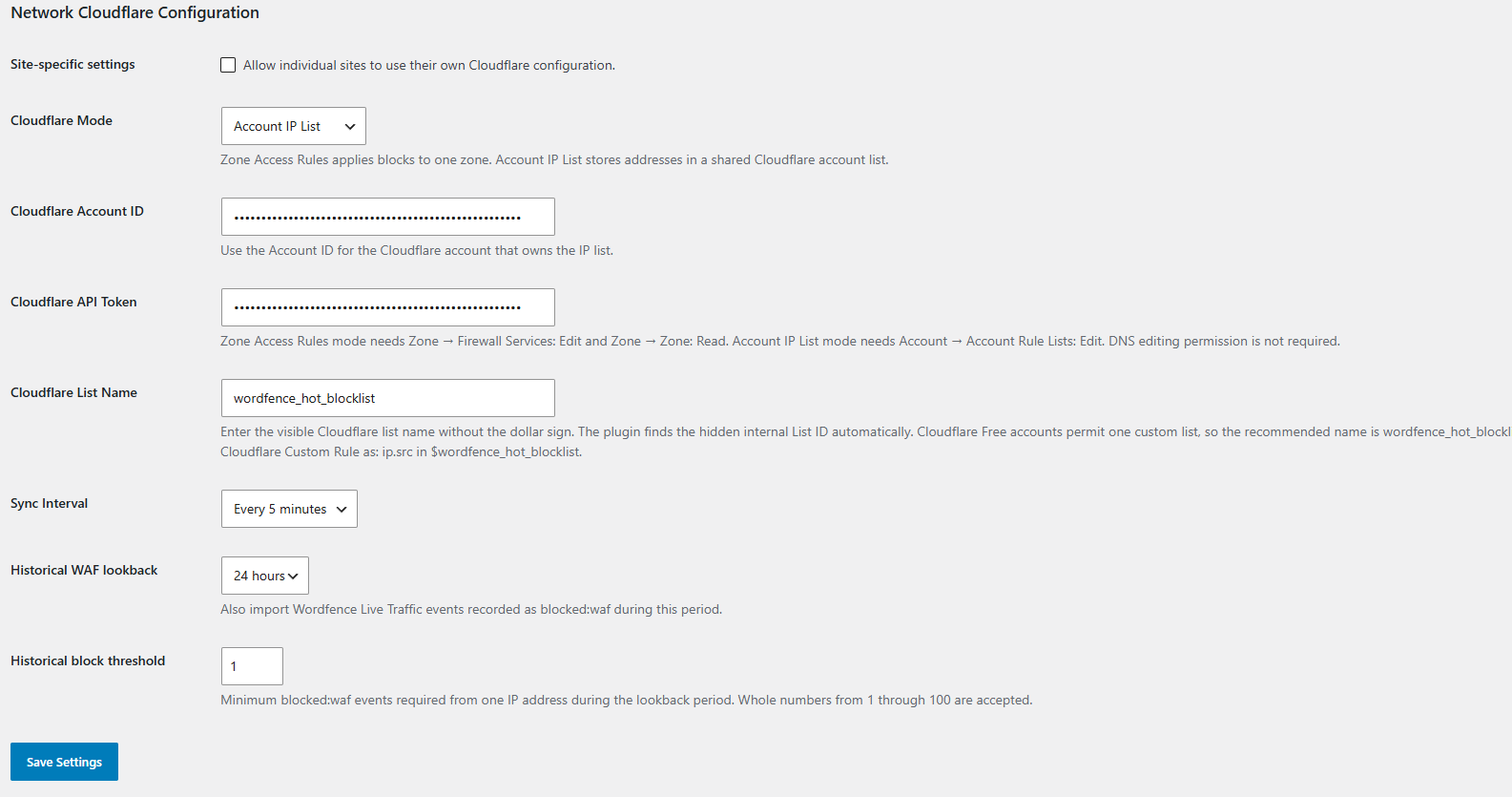
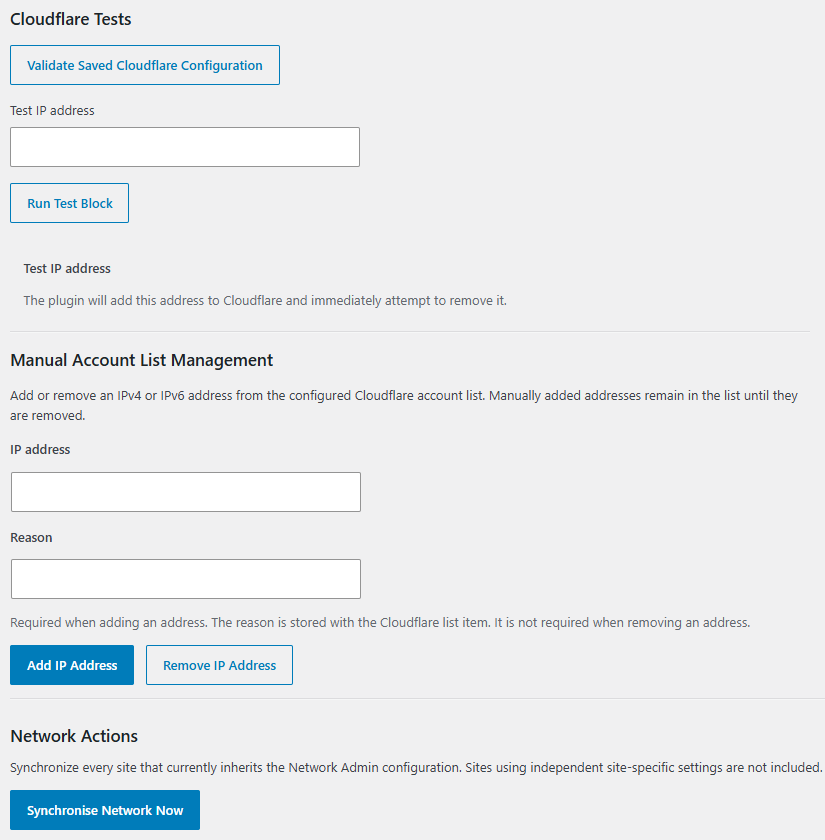

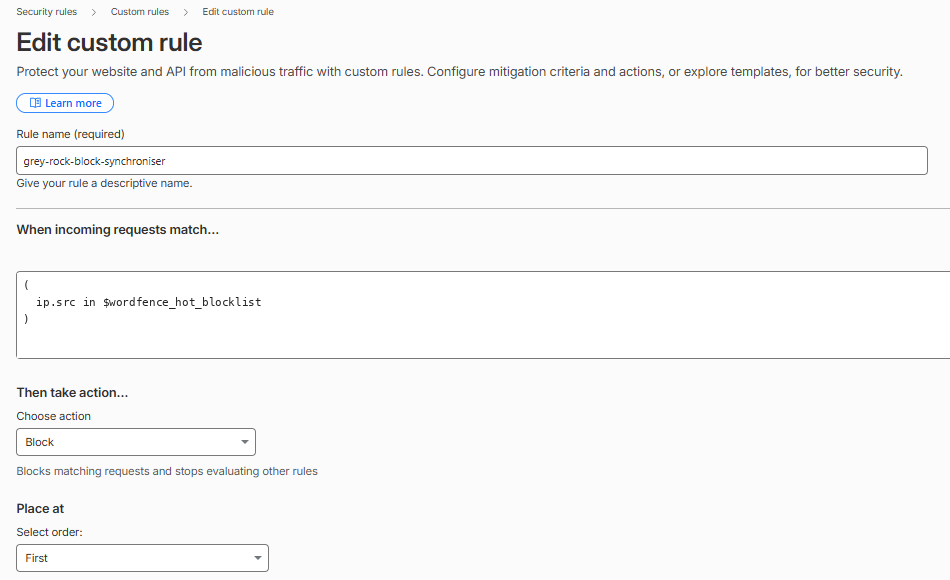
Zone Access Rules are intended for protecting one Cloudflare zone.
Account IP Lists allow several Cloudflare zones to share a reusable list. Each participating zone uses a Cloudflare Custom Rule that references that list. An account list does not block traffic by itself; the custom rule performs the enforcement.
The plugin also includes validation, manual synchronization, test blocking, logging, configurable historical thresholds, multisite network operation and cleanup controls. Full technical details and configuration instructions are maintained in the GitHub repository.
Important limitations
IP blocking is only one security signal.
Attackers can change addresses, use compromised systems or operate through shared networks. A blocked address may also later be assigned to a different user. Wordfence itself cautions that permanently collecting large numbers of IP blocks is not always an effective standalone strategy because attackers frequently rotate addresses.
Grey Rock therefore does not claim to identify a person permanently. It synchronizes qualifying technical indicators according to configured rules and expiration behavior.
It also does not replace Cloudflare, Wordfence, patching, backups or security monitoring. It connects two existing security layers so they can work together more effectively.
Official WordPress.org release
Grey Rock Block Synchroniser for Wordfence and Cloudflare is independently developed by Greyscale Zone. It is not affiliated with, endorsed by or sponsored by Wordfence or Cloudflare.
The plugin source is published under the GPL, and development remains public on GitHub.
Project links
Official WordPress.org Plugin Directory
https://wordpress.org/plugins/grey-rock-block-synchroniser-for-wordfence-and-cloudflare/
Greyscale Zone GitHub repository
https://github.com/Linus-007/grey-rock-block-synchroniser-for-wordfence-and-cloudflare
Original project that I forked
https://github.com/notmike101/wordfence-cloudflare-firewall-sync
Cloudflare proxy documentation
https://developers.cloudflare.com/dns/proxy-status/
Wordfence blocking documentation
https://www.wordfence.com/help/blocking/
NIST defense-in-depth definition
https://csrc.nist.gov/glossary/term/defense_in_depth